10 Services That Deliver Walmart Groceries to Your Door
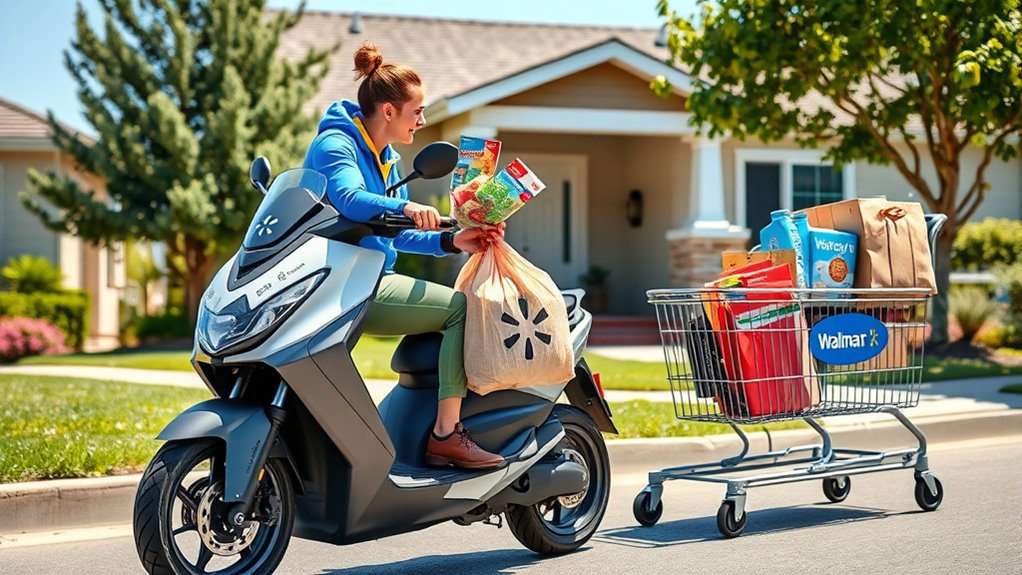
Running errands can be a hassle, especially when you’re busy or just don’t feel like heading out. Many people struggle with finding the time to grocery shop, and that’s where grocery delivery services come to the rescue.
If you’re looking to get Walmart groceries delivered right to your door, you’re not alone—this convenience is more popular than ever.
Several services deliver Walmart groceries right to your door, including Instacart, Walmart’s own app, Shipt, and DoorDash. Other options like Postmates, Google Shopping, and Amazon Fresh also offer grocery delivery, sometimes partnering with Walmart.
You might find regional services or local providers that do the same. By exploring these platforms, you’ll uncover flexible options to suit your schedule and budget.
Keep going to learn all about how each service works and which one’s best for you.
Key Takeaways
- Walmart’s official app offers direct grocery delivery, often with free shipping for Walmart+ members.
- Platforms like Instacart and Shipt provide Walmart grocery delivery in supported areas.
- Delivery availability depends on your location, so check coverage zones before ordering.
- Delivery fees vary by service, with options for memberships that reduce or waive costs.
- Use third-party services for more options and flexible delivery times beyond Walmart’s direct offerings.
How Does Walmart Grocery Delivery Work?
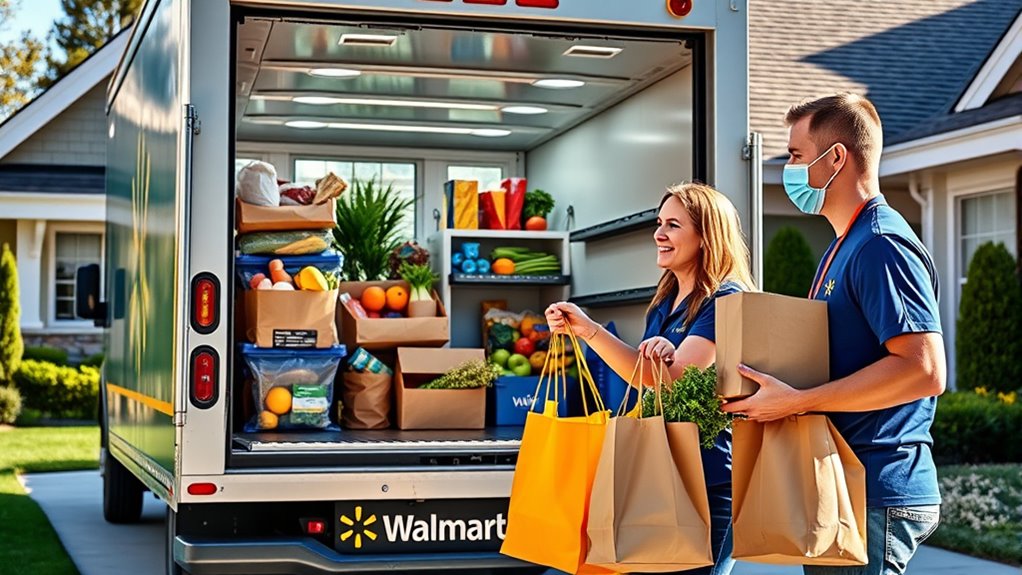
Have you ever wondered how Walmart Grocery Delivery actually works? The process is designed to make grocery delivery super convenient and fit into your busy schedule.
First, you log into your Walmart account or open the app, browse the online store, and add items to your cart. When you’re ready, pick a delivery time that works for you—sometimes even same-day delivery is available.
Log into Walmart, shop online, add items to your cart, and choose a delivery time that suits your schedule.
Next, Walmart assigns a personal shopper to carefully pick your groceries with accuracy. Once shopping is done, your order gets packed and dispatched for delivery right to your door.
You’ll get updates along the way so you know exactly when to expect your groceries. This system makes shopping easier by eliminating trips to the store, saving you time and effort.
Best Platforms for Walmart Grocery Delivery
When you’re looking for the best platform to get Walmart groceries delivered, it’s a good idea to see which services are popular and trustworthy in your area. You don’t want to pick just any service — making sure they cover your neighborhood is key. Also, keep an eye on the delivery fees and policies so you know what to expect and can avoid surprises.
Getting familiar with these details will help make your shopping experience smooth and easy on your wallet. After all, the goal is to enjoy convenient grocery shopping without any hassle!
Popular Delivery Platforms
To enjoy the convenience of Walmart grocery delivery, choosing the right platform can make a big difference. Popular options like Instacart, Walmart’s own app, and Shipt offer smooth and easy ways to get your groceries delivered.
When comparing these apps, features like delivery speed, usability, and membership perks come into play. Some platforms let you set up grocery subscriptions, so you can schedule recurring orders for staples and save time.
Each platform has its strengths. Instacart offers a wide range of retailer options, Walmart’s app gives direct access to its inventory, and Shipt focuses on personalized service. Think about what matters most to you—cost, delivery speed, or ease of use—to find the best fit for your grocery shopping needs.
Service Coverage Areas
Several platforms excel in covering Walmart grocery delivery areas, but their availability varies widely depending on your location. Service availability depends on the delivery zones each platform supports, which can differ greatly from one region to another.
Some platforms offer broad coverage, including suburban and rural areas, while others focus mainly on urban centers. To find out if a service can deliver to your address, check their delivery zones online or through their app.
Keep in mind that even within a supported zone, certain neighborhoods may not be eligible. Your best bet is to verify coverage before signing up to ensure Walmart groceries can be delivered to your doorstep without surprises.
Knowing the service coverage areas helps you choose the platform that best fits your location.
Delivery Fees and Policies
Choosing the right platform for Walmart grocery delivery means understanding their delivery fees and policies, which can vary a lot. Comparing these fees helps you find affordable options, with some platforms offering flat rates or free delivery for memberships.
Be aware that policies might change based on your order size or delivery time windows. Refund policies are also important; know how disputes or issues with your order are handled, like refunds for missing or damaged items.
Some services offer instant refunds, while others may take longer. By comparing these fees and policies, you can pick a platform that fits your budget and gives you peace of mind.
This makes your grocery shopping experience smoother and more reliable.
Comparing Walmart Delivery Fees and Memberships
Walmart’s delivery fees can change depending on how much you’re ordering and how quickly you want it delivered. It’s a good idea to look at the costs for the options that match your shopping habits so you don’t end up paying more than you need to.
They also have a membership program called Walmart+ that offers perks like free delivery, but the details and costs might be different based on what you actually use. Getting a clear understanding of these fees and memberships can help you figure out which one gives you the best bang for your buck.
Delivery Fee Structures
When evaluating grocery delivery options, understanding the fee structures is essential to saving money. Delivery fee comparisons vary depending on whether you choose pay-per-delivery or a membership plan.
Walmart’s pay-per-delivery fees are typically around $9.95 to $13.95, but these can increase during peak times. With memberships like Walmart+, you often get free delivery on orders over a certain amount, making it more cost-effective if you order regularly.
Moreover, memberships offer discounts on delivery fees, which can significantly lower your overall costs. Keep in mind that some delivery services may waive fees for first-time users or during promotional periods.
It’s worth exploring your options to maximize savings and choose the fee structure that best fits your shopping habits.
Membership Benefits and Costs
While paying per delivery can add up quickly, opting for a Walmart+ membership often gives you better value if you shop regularly. Membership perks include free unlimited delivery on orders over a certain amount, discounts on fuel, and exclusive savings.
The subscription costs are usually a flat monthly fee or an annual rate, which can save you money compared to paying for each delivery individually. If you often order groceries from Walmart, a membership can lower your overall costs and make shopping easier.
But if you only buy groceries occasionally, the fees might outweigh the benefits. Think about your shopping habits and compare the perks against the costs to see if a Walmart+ membership makes financial sense for you.
Which Walmart Delivery Service Is Fastest?
Curious about which Walmart delivery service gets your groceries to you the fastest? When speed matters, Walmart’s Drive Up and In-Store Pickup options usually offer the quickest turnaround, often ready within a few hours.
Walmart’s Drive Up and In-Store Pickup are typically the fastest options, ready within a few hours.
If you want fast delivery directly to your door, Walmart Plus members benefit from same-day or next-day delivery, making it a great choice for quick grocery options.
Regarding speed, Walmart’s delivery services are pretty competitive, with some orders arriving in just a few hours after you place them. The exact delivery time depends on your location, the size of your order, and the service you choose.
If fast delivery is your priority, Walmart Plus is generally the best option, especially when you need a quick restock of groceries. Keep in mind that delivery times can vary, but Walmart’s services are designed to get your groceries to you as fast as possible, no matter which option you pick.
Delivery Areas Served by Walmart Grocery Delivery
Walmart Grocery Delivery covers a wide range of areas across the United States, making it easy for millions of shoppers to access. Whether you’re in the city or a suburban neighborhood, delivery might be available.
Your ability to get groceries delivered depends on your specific location and the delivery zones in your area. The service usually extends to urban, suburban, and some rural regions.
Key factors that affect delivery areas include geographic coverage, delivery zone boundaries, and order minimums. Your address determines if you’re within the delivery radius, and some zones might have time-specific slots.
Delivery zones are carefully mapped out, so it’s best to check Walmart’s online delivery zone map or app. This way, you can confirm whether your area qualifies for grocery delivery.
How to Set Up and Place Your First Walmart Grocery Order
Getting started with your first Walmart grocery order is pretty straightforward. First things first, you’ll want to create a Walmart account using your basic information. It’s quick and easy, and it’ll make shopping a lot more convenient.
Once you’re logged in, you can choose your delivery options. Whether you prefer same-day delivery, scheduled delivery, or pickup, pick the one that best fits your schedule and needs. After that, just start browsing through the selection of groceries. When you find something you like, add it to your cart.
When you’re ready, head to checkout, and you’re all set to get your groceries delivered right to your door!
Create Walmart Account
Setting up a Walmart account is a simple first step toward enjoying convenient grocery delivery. To get started, visit Walmart’s website or app and follow the prompts for creating an account.
During this process, you’ll need to enter your personal details, like your name and email address. Make sure to create a secure password, focusing on choosing a strong, unique one for better protection.
Next, verify your email to confirm your account. Then, add your delivery address to make future orders easier and faster.
Using a strong password helps protect your account and keeps your information private. Once your account is ready, you can browse products, save your favorites, and confidently place your first grocery order, knowing everything is secure and seamless.
Choose Delivery Options
Once you’ve created your account, you can choose your preferred delivery method for your groceries. You’ll be prompted to set your delivery preferences, like selecting between same-day or scheduled delivery.
Review the available service options and compare features such as delivery fees, times, and order minimums through service comparisons. This helps you pick the best delivery method for your needs.
You can opt for Walmart’s standard delivery or explore third-party services if they’re available in your area. Make sure to confirm your address and delivery window during setup.
Once your preferences are set, you’re ready to place your first order with confidence, knowing you’ve chosen the best delivery option for your schedule and budget.
How to Save Money on Walmart Grocery Delivery
Saving money on Walmart grocery delivery is easier than you might think if you know where to look for discounts and special offers. To maximize savings, focus on budget-friendly tips and coupon strategies.
Here are four ways to cut costs:
- Sign up for Walmart’s free savings programs to access exclusive discounts and deals.
- Use cashback apps and browser extensions that offer rebates on grocery orders.
- Apply manufacturer coupons and Walmart digital coupons, which often stack for extra savings.
- Take advantage of special promotions like free delivery on first orders or during sales events.
Troubleshooting Walmart Grocery Delivery Problems
When you run into issues with Walmart grocery delivery, acting quickly can help get things sorted faster. Common problems include order mistakes, delivery delays, or payment troubles.
Start by checking the app for updates or errors, since fixing those can often resolve issues. If your delivery is delayed, double-check your delivery schedule and reach out to customer support for real-time updates.
For order accuracy concerns or product substitutions, review your order details and let support know your preferences through the app or chat. Payment issues usually mean verifying your payment info or contacting your bank.
Here’s a quick reference:
| Issue | Solution | Contact Method |
|---|---|---|
| Delivery delays | Check scheduling and contact support | Customer support hotline |
| Product substitutions | Update preferences or request specific items | App or support chat |
| Payment problems | Verify payment info or contact your bank | Customer support |
Addressing problems promptly helps ensure a smooth delivery experience.
What Do You Need to Get Started With Walmart Delivery?
Getting started with Walmart delivery is simple, but you’ll need a few key things first. To make sure everything runs smoothly, be sure you’re prepared with these shopping essentials:
- A Walmart account—sign up online or through the app.
- A valid payment method—credit or debit card, or a Walmart gift card.
- A delivery address—make sure it’s entered accurately for timely delivery.
- A compatible device—smartphone, tablet, or computer to place your orders.
Having these ready helps you streamline your order process and avoid delays. Also, check that your delivery location is within Walmart’s service area. Once everything’s set, you can browse products and add your favorite grocery items to your cart easily.
FAQs About Walmart Grocery Delivery
Are you wondering about the details of Walmart grocery delivery? Many questions come up, like delivery fees, minimum order amounts, and scheduling options.
Walmart’s grocery delivery service usually offers free delivery on orders over a certain amount, but fees may apply for smaller orders.
Delivery windows are flexible, often available within a few hours or for scheduled times that fit your routine.
When comparing services, Walmart’s convenience and competitive pricing stand out, especially since you can order both groceries and household essentials in one go.
Some common questions include whether you need a membership. The answer is no. You can use the service without one.
People also ask how the delivery process works. Overall, Walmart grocery delivery provides a straightforward, affordable option for busy households.
Comparing it to other grocery delivery services helps you find what’s best for you, but Walmart’s user-friendly platform and reliable service make it a popular choice.
Frequently Asked Questions
Can I Schedule Walmart Grocery Deliveries for Specific Times?
Yes, you can schedule Walmart grocery deliveries for specific times. Walmart offers delivery time slots, giving you flexibility to pick a window that works for you.
When placing your order, just select your preferred delivery time. This way, your groceries arrive exactly when you need them, making the process more convenient.
It helps you stay in control of your shopping schedule and fits better into your busy lifestyle.
Are There Any Restrictions on Items Available for Delivery?
Ironically, your dream of a grocery paradise isn’t limitless. While Walmart works hard to have a wide selection, some delivery restrictions do exist.
These limitations are especially common with fresh produce, certain electronics, or hazardous materials. Restrictions on alcohol or age-restricted items might also apply.
How Do I Update or Cancel My Walmart Delivery Order?
To update or cancel your Walmart delivery order, log into your account and go to your order history.
Here, you can request changes or cancel the order before it ships.
Be sure to check for delivery confirmations to make sure your updates go through.
If you can’t make changes online, contact Walmart customer service quickly.
They can help with last-minute adjustments or cancellations if needed.
Is There a Minimum Purchase Requirement for Walmart Delivery?
Yes, Walmart delivery usually has a minimum purchase amount, which can differ depending on your location but is generally around $35.
If your order is below that, you’ll likely face a delivery fee. To make sure everything’s on track, you can track your order and check if it meets the minimum requirement.
Keep an eye out for any extra fees or discounts that might apply so you won’t be caught off guard.
What Safety Measures Are in Place for Grocery Delivery?
Walmart guarantees your safety by offering contactless delivery, so you don’t need to handle the food directly with the delivery person. They follow strict food handling protocols to prevent contamination, including wearing gloves and masks.
Delivery personnel maintain social distancing, and you can provide specific instructions to minimize contact even further. These measures are in place to keep you safe while enjoying the convenience of grocery delivery.
Conclusion
Ready to turn your living room into a grocery store without lifting a finger? With Walmart’s delivery services, you’ll feel like you’ve got a personal shopper at your beck and call—faster than you can say “supermarket sweep!”
Bid farewell to long checkout lines and hello to effortless shopping. Whether you’re stocking up or just grabbing a snack, Walmart’s delivery game is so good, it’s practically magic.
Your groceries are just a tap away. Welcome to the future of shopping with Walmart’s delivery services!