7 Ways to Quickly Find the Nearest Grocery Store
Finding the nearest grocery store quickly can be a real hassle, especially when you’re in a rush or in an unfamiliar area. Many people struggle with pinpointing the closest options without wasting time wandering around.
To find a grocery store quickly, use your smartphone with apps like Google Maps or Apple Maps to get directions and filter results by hours or type. You can also ask locals for directions using landmarks or signage as guides.
Voice assistants like Siri or Alexa can provide instant nearby store details. Online directories, social media, and community boards offer current tips and recommendations.
If you’re off-grid, look for environmental cues or ask locals—you’ll uncover even more useful tips as you investigate further.
Key Takeaways
- Use your smartphone’s navigation apps like Google Maps or Apple Maps with location services turned on for real-time directions.
- Ask locals for directions, mentioning nearby landmarks to get quicker guidance.
- Use voice assistants by giving clear commands such as “Find grocery stores near me.”
- Search online maps or social media for recommendations of nearby grocery stores.
- Keep an eye out for environmental clues like signs, smells, or landmarks that can help you spot stores off the beaten path.
Find a Grocery Store Near You Using Your Smartphone
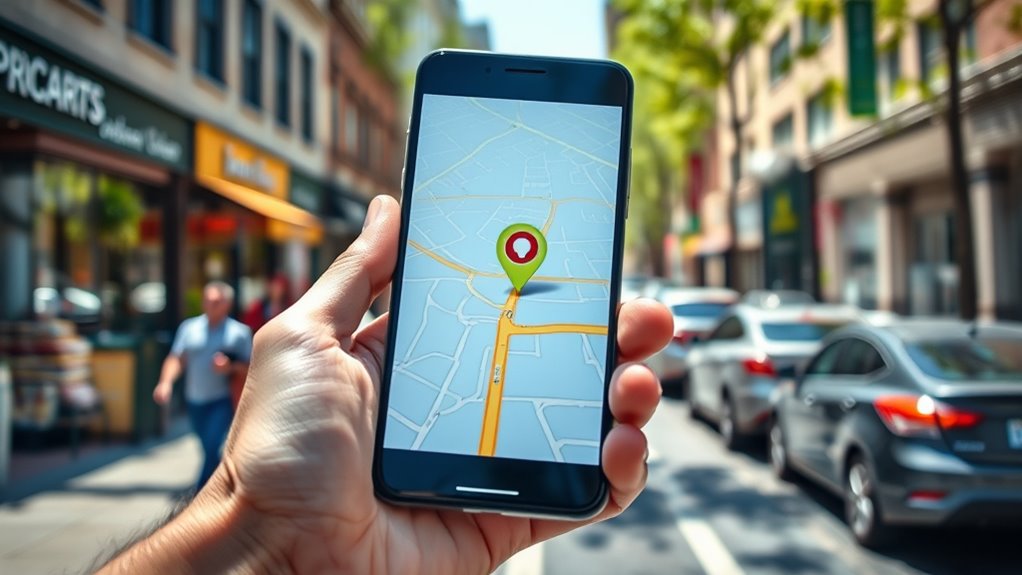
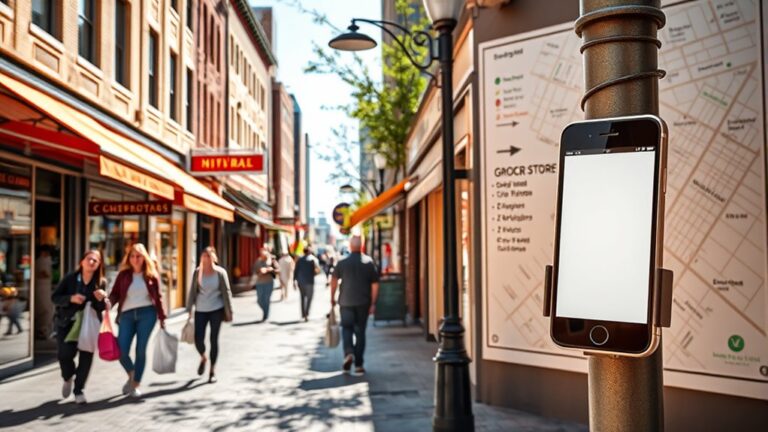
Have you ever needed to find a grocery store quickly? Your smartphone apps are a powerful tool for this.
Most apps like Google Maps or Apple Maps can locate nearby stores in seconds. First, make sure your location settings are turned on so your device can access your current position accurately.
Open your preferred map app and type “grocery store” or “supermarket” into the search bar. The app will show a list of options nearby, with details like distance, reviews, and directions.
You can also filter results by hours of operation or store type if needed. Using your smartphone’s GPS makes finding the closest grocery store fast and easy, especially when you’re in a new area.
Just ensure your location settings are enabled, and you’ll have everything you need at your fingertips. It saves time and makes shopping less stressful when hunger strikes.
Ask Locals for Directions to the Closest Grocery Store
When you’re trying to find the closest grocery store, it’s best to ask friendly locals who look like they’re open to helping out. Don’t be shy—just approach someone nearby and start a casual conversation.
You can also use familiar landmarks or popular spots like cafes, parks, or bus stops to guide your questions. For example, you might say, “Hey, do you know where the nearest grocery store is from here?”
This simple approach can really make your search easier and quicker, helping you get to the store without any extra hassle.
Approach Friendly Locals
Approaching friendly locals can be one of the quickest ways to find a nearby grocery store. When you engage with people around you, you tap into valuable community insights. Friendly locals often give accurate directions, saving you time and effort. Plus, your interaction makes the search more personal and pleasant.
To get the best results, approach with a smile and ask politely. Here’s a quick reference:
| Tip | What to Say | Best Time to Ask |
|---|---|---|
| Be approachable | “Excuse me, do you know where the grocery store is?” | During daytime |
| Show gratitude | “Thanks so much for your help!” | After receiving directions |
| Use local slang | “Is the store near the main square?” | When unsure about landmarks |
| Make eye contact | Builds trust and friendliness | Throughout the conversation |
| Thank them sincerely | Reinforces positive community ties | At the end of the chat |
This approach taps into local knowledge and community spirit for quick, friendly results.
Use Local Landmarks
Asking locals for directions can be even more effective when you reference well-known landmarks nearby. Recognizing landmarks helps you navigate locally and find what you need faster, like the nearest grocery store.
When you ask for help, mention sights that stand out, such as a tall clock tower, a colorful mural, or a busy park entrance. These landmarks serve as easy reference points that locals can quickly point out.
Try visualizing the area with descriptions like a bakery with a bright red sign, a fountain in the town square, or a large, unique sculpture. Using landmarks in your questions makes it simpler and improves your chances of getting accurate directions.
Ask at Community Spots
Looking for the nearest grocery store? Ask around at community hubs like local cafes or busy parks. People who hang out there often know the area well and can point you in the right direction.
Start a friendly chat and mention you’re looking for a grocery store nearby. Locals usually give quick, practical directions that you might not find on maps.
You might even discover new places or hidden gems along the way. Community spots are great because they’re gathering places for residents, so your chances of getting good info are higher.
Plus, asking locals can give you helpful tips about store hours or discounts. A quick chat at these spots can save you time and frustration.
Use Google Maps and Navigation Apps for Fast Results
Using Google Maps and other navigation apps is a great way to find the closest grocery store quickly. They use real-time location tracking, so you can see exactly where you are and find the nearest store without any hassle.
Plus, these apps make planning your route super simple. Just enter where you want to go, and they’ll suggest the fastest way to get there. It’s like having a personal guide in your pocket!
Real-Time Location Tracking
When you need to find the nearest grocery store quickly, real-time location tracking with Google Maps and navigation apps is your go-to. It gives you high location accuracy, so you can find nearby options fast.
Imagine a digital map pinpointing your exact position, guiding you effortlessly. Visualize your icon moving smoothly along streets, with accurate store icons popping up nearby.
Turn-by-turn directions sync with your movements, making navigation simple. Plus, you get real-time updates on traffic and store openings to keep you informed.
While this technology speeds up your search, it’s important to think about privacy. Sharing your location improves results but also raises questions about data security.
Always review app permissions to find the right balance between convenience and your privacy.
Easy Route Planning
Once your location is pinpointed, planning the fastest route becomes easy with Google Maps and other navigation apps. These tools are great at route optimization, helping you avoid traffic and delays.
You can quickly compare multiple routes using mapping techniques that highlight the quickest options. Just enter your destination, and the app will suggest the most efficient path.
It automatically adjusts for real-time traffic updates, construction, or accidents, making sure you get there on time. Use features like turn-by-turn navigation for step-by-step guidance to make your trip smoother.
Saving your favorite stores or recent destinations can speed up future route planning. With these apps, you spend less time figuring out directions and more time reaching your grocery store efficiently.
Easy route planning has never been more accessible or accurate.
Find Grocery Stores With Voice Assistants Like Siri or Alexa
Ever wondered how voice assistants like Siri or Alexa can help you find nearby grocery stores? It’s simple—just speak your request clearly. Use voice command tips like saying, “Find grocery stores near me,” or “Where’s the closest supermarket?” to get quick results. Keep in mind, assistant accuracy improves when you speak clearly and avoid background noise.
Your voice assistant then scans local listings and provides options with details, such as store names, addresses, and hours. Imagine hearing, “There’s a Walmart two miles away on Main Street.” Or, “A Trader Joe’s 1.5 miles from your location.” You might also hear, “Kroger open until 10 pm, half a mile away,” or “Target is located on Oak Avenue, about three miles from you.”
Using these tips, you can efficiently locate grocery stores without manual searching. Just remember, clear commands help your voice assistant deliver the most accurate and helpful results quickly.
Check Online Store Directories and Grocery Chains’ Locations
Looking to find the exact locations of grocery stores quickly? Using online store directories and store locator features on grocery chain websites makes this easy. Most major stores have dedicated locators where you can enter your zip code or city to see nearby locations.
These tools often include details like store hours, contact info, and services offered. Online mapping services like Google Maps or Apple Maps also help you search for grocery stores in your area. Just type “grocery store” into the search bar, and the map will show options close to you.
You can filter results based on distance or ratings too. This saves you time and effort, giving you quick access to accurate store information and directions. Checking these online directories and maps guarantees you’ll find the nearest grocery store efficiently and confidently.
Explore Social Media and Community Boards for Local Recommendations
Have you thought about using social media platforms and community boards to find local grocery store suggestions? These sources give you real-time feedback from neighbors and fellow shoppers.
Discover local grocery store tips and deals through social media and community boards.
On social media, join neighborhood groups or local community pages where residents share their favorite grocery stores, current deals, or hidden gems. Community boards, whether online or physical, are also great for local tips and store recommendations.
Imagine scrolling through a neighborhood Facebook group, where someone posts, “Best organic grocery near downtown.” Or looking at a community notice board with flyers about nearby stores with fresh produce.
You might come across personal reviews from locals, recommendations for stores with specific products, or announcements about store openings or closures. Plus, tips on the best times to shop can be really helpful.
Using social media and community boards connects you directly to your community’s latest grocery store insights.
How to Find a Grocery Store When You’re Off the Grid
When you’re off the grid and can’t rely on digital maps or online searches, finding a nearby grocery store takes some old-fashioned resourcefulness. Your survival skills come into play as you scan your surroundings for clues.
Look for signs, landmarks, or familiar structures that might indicate stores nearby—like a roadside stand or a small shopping area. Use alternative resources such as paper maps, if you have them, or ask locals if you come across anyone.
Observing the layout of the area can help you spot commercial zones where stores are likely to be. Keep an eye out for utility poles, signage, or even the smell of food, which can hint at a nearby market.
Frequently Asked Questions
Can I Find Grocery Store Hours Using Online Tools?
Yes, you can find grocery store hours using online tools. Just do a quick search with the store’s name, and you’ll usually see their official website or store locator.
Store websites often list current hours, holiday schedules, and any special closures. This helps you get accurate, up-to-date info quickly.
Using these tools saves you time and makes sure you visit when the store is open.
Are There Specific Apps for Special Dietary Grocery Stores?
Yes, there are apps designed specifically for specialty shopping and dietary needs. Apps like HappyCow help you find vegetarian, vegan, and allergy-friendly options.
You can filter results based on dietary restrictions like gluten-free or organic products. These apps make it super easy to locate specialty grocery stores nearby.
They help you find the specific foods you need without any hassle.
How Accurate Are Online Store Location Listings?
They say “trust, but verify,” and that’s smart with online store listings. The accuracy of store location data can vary a lot.
Some apps give reliable, up-to-date info, but others might be outdated or wrong. To be sure about store details, it’s best to cross-check multiple sources or visit official store websites.
Don’t rely on just one listing. Double-checking helps you find the closest grocery store quickly and confidently.
Can I Get Real-Time Updates on Store Closures or Delays?
Yes, you can get real-time updates on store closures or delays through apps that offer notifications and traffic updates. Many grocery store chains send mobile alerts about closures, delays, or special hours.
Navigation apps like Google Maps or Waze also provide live traffic updates. They help you plan your route better and avoid delays, so you can reach your store efficiently and stay informed about any unexpected issues.
Do Grocery Store Loyalty Apps Help Locate Nearby Stores?
Yes, grocery store loyalty apps often come with a store locator feature that helps you find nearby locations quickly. These tools make it easy to see where the closest stores are.
They not only guide you to the nearest stores but also help you maximize loyalty benefits like discounts and special offers. Using the store locator inside the app can save you time and make your shopping trip smoother.
Conclusion
No matter where you are, finding a grocery store is like navigating a busy city street—there’s always a way to get there.
With your smartphone, local tips, or voice assistants, you’ve got a map right at your fingertips.
Think of these methods as your trusty compass, guiding you through the maze.
So stay confident and keep exploring—you’ll find that grocery store just around the corner, ready to meet your needs.